
TL;DR: An all hands meeting is a company-wide gathering where everyone, from leadership down to brand-new hires, meets to review business updates, align on shared goals, and ask questions directly. This guide covers the best formats, tools, and interactive strategies to help you run smooth, productive calls.
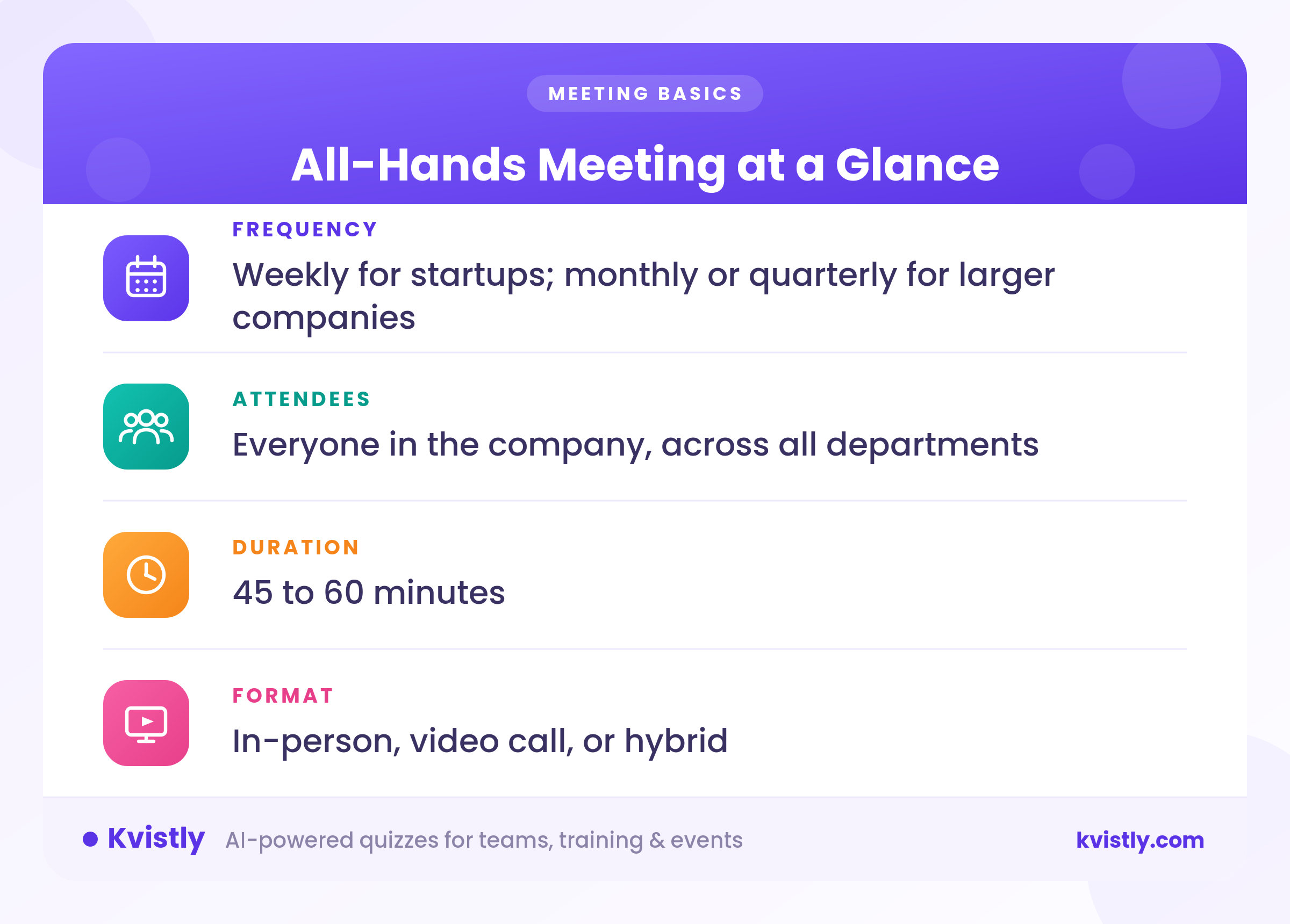
An all hands meeting’s main agenda is to bring everyone at your company together for a direct, honest status update. This meeting gives the founders and managers a single floor to walk employees through current sales status, internal policy tweaks, wins, and future goals.
Everyone has to attend, from fresh hires on day one to department directors.
Startup companies usually schedule these calls weekly to stay on top of quick changes while bigger companies tend to run them monthly or every three months so calendars stay clear. Expect a typical call to run between 45 and 60 minutes, which leaves enough room for executive updates and a real Q&A session at the end.
The phrase traces back to 19th-century sailors. Sea captains shouted "all hands on deck" whenever severe weather or sudden emergency work required every crew member to stop their task and step onto the main deck. Workplace leaders adopted the phrase for similar reasons.
The all hands meeting meaning boils down to getting your entire staff into one room or video call to hear essential company updates at the exact same time.
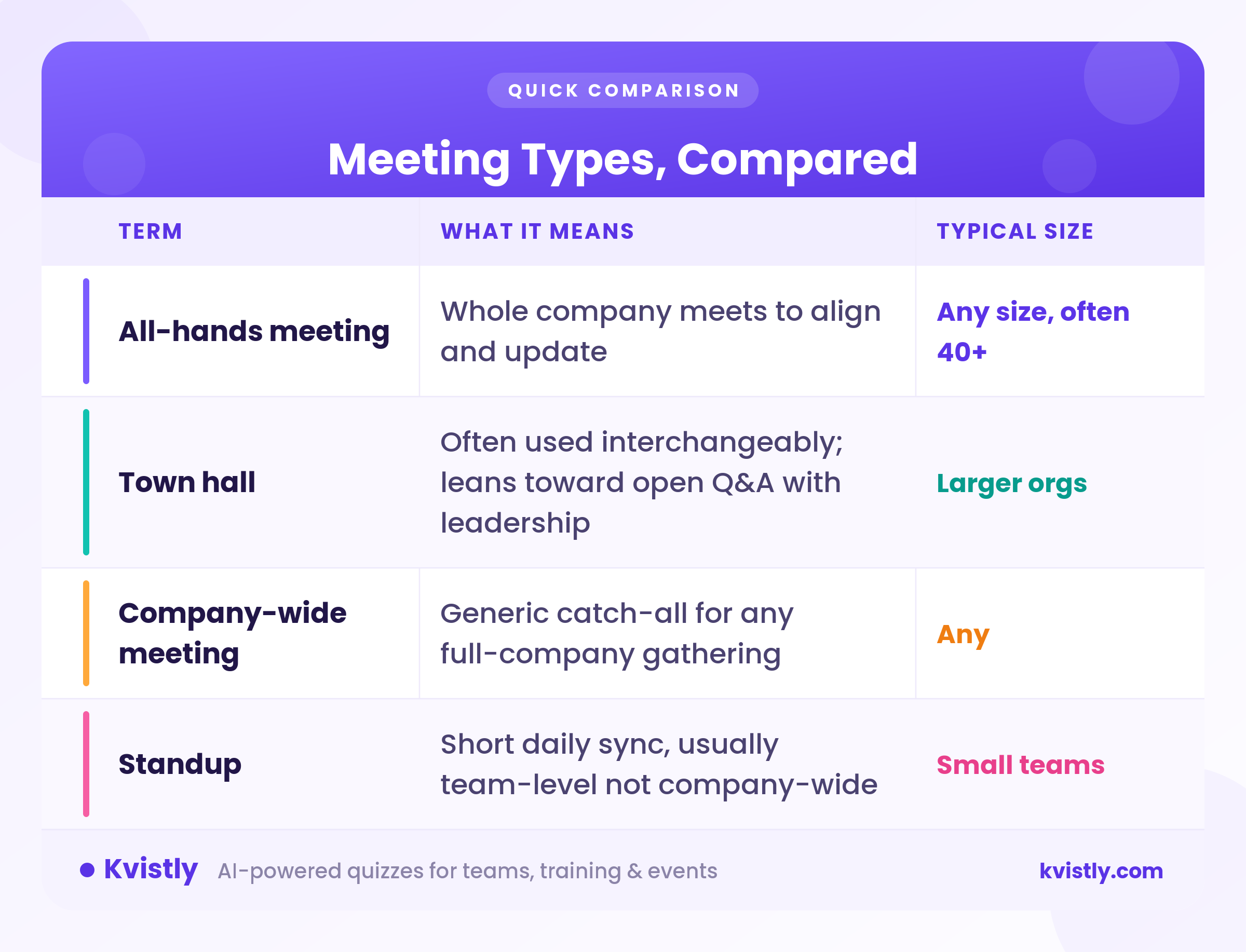
People often mix up these gatherings with other full-company sessions. The difference between an all hands vs town hall mostly comes down to structure, meeting size, and how much time goes toward audience questions.
Getting every department into one session keeps your whole team rowing in the exact same direction. Gallup's workforce data shows global employee engagement floating around 20%, proving how easily staff lose focus when leadership goes quiet.
This is why running regular company calls stops that drift by giving everyone clear context on where the business is headed.
When departments operate in silos, product teams end up building features sales reps cannot pitch, and marketing launches campaigns that customer support isn't ready to handle. Holding a regular all hands meeting gets leadership, product, sales, and support on the exact same page. Everyone hears current priorities, target numbers, and quarter deadlines at the exact same time.
Culture stalls when people only ever talk to their immediate desk neighbors or direct Slack channels. Full-company syncs bring distributed workers and separate teams together. Watching executives speak openly and hearing colleagues highlight project milestones creates a genuine shared purpose across the whole team.
Live executive presentations let leaders explain the actual reasoning behind major financial results, organizational changes, or strategic pivots as top-down emails usually invite skepticism or get ignored completely. Setting aside time for an anonymous live Q&A gives staff a direct, safe way to raise real concerns with management.
Shoutouts buried in a busy Slack channel get lost in minutes. Celebrating closed deals or successful software launches boosts individual morale and shows the rest of the team what solid execution looks like. This is why setting aside five or ten minutes during a full-company meeting to highlight great work gives people public credit in front of everyone they work with.
Bridging the gap for remote and hybrid teams
Hybrid and remote employees often miss out on spontaneous office chats, hallway updates or informal context from leadership. Regular company-wide calls bring everyone into the exact same digital room, making remote staff feel included in company momentum rather than left out in the cold.
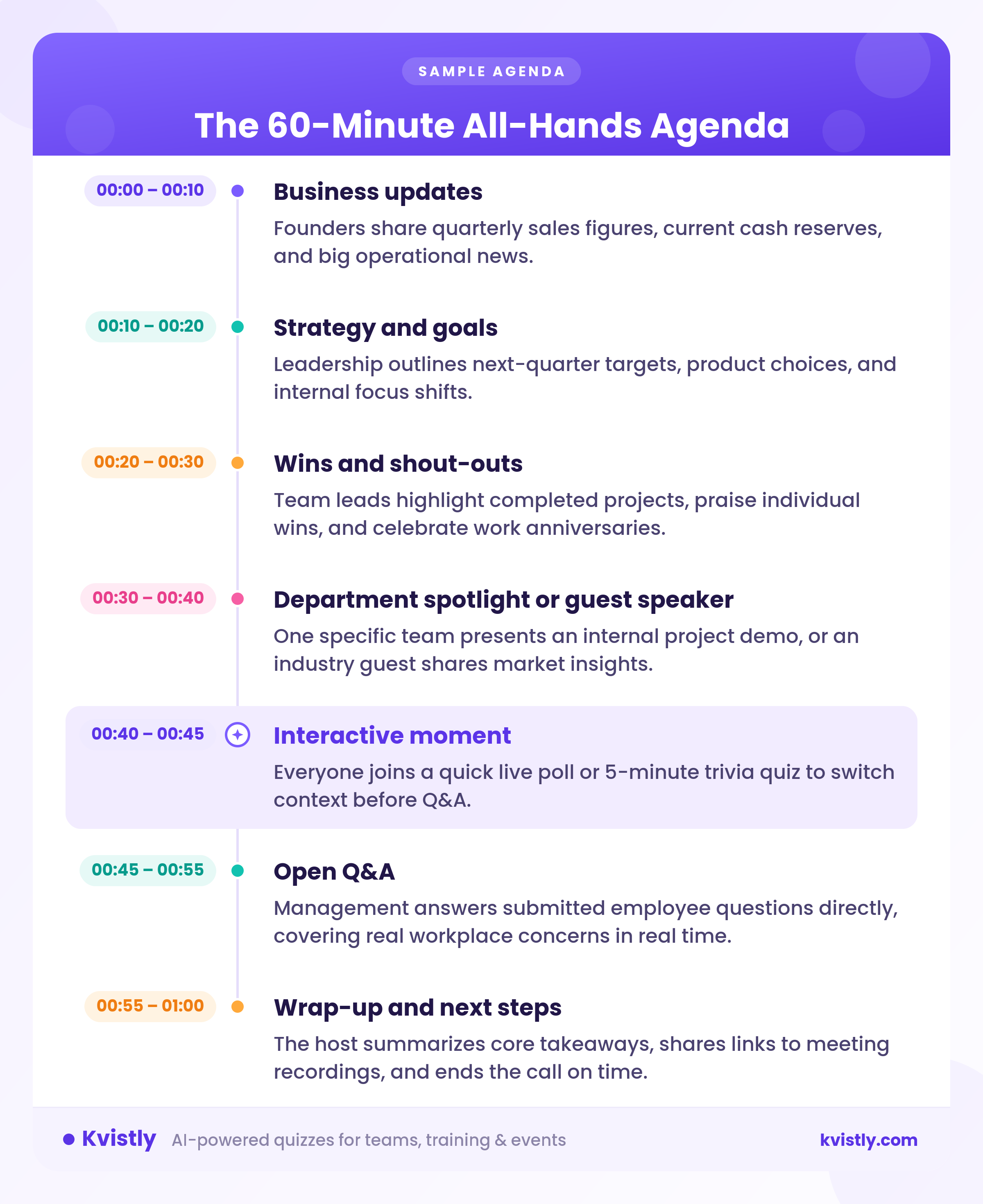
Meeting attendees tune out quickly if someone talks over static slides for thirty minutes straight, so splitting your time into distinct parts keeps the room attentive. I put together this 60-minute all hands meeting agenda to give you a clear framework for your next gathering:

Setting up a smooth all-hands meeting comes down to four main layers: video for broadcasting, slides for your deck, live tools for participation, and a follow-up option for anyone who missed out.
Here are twelve tools that cover every stage.
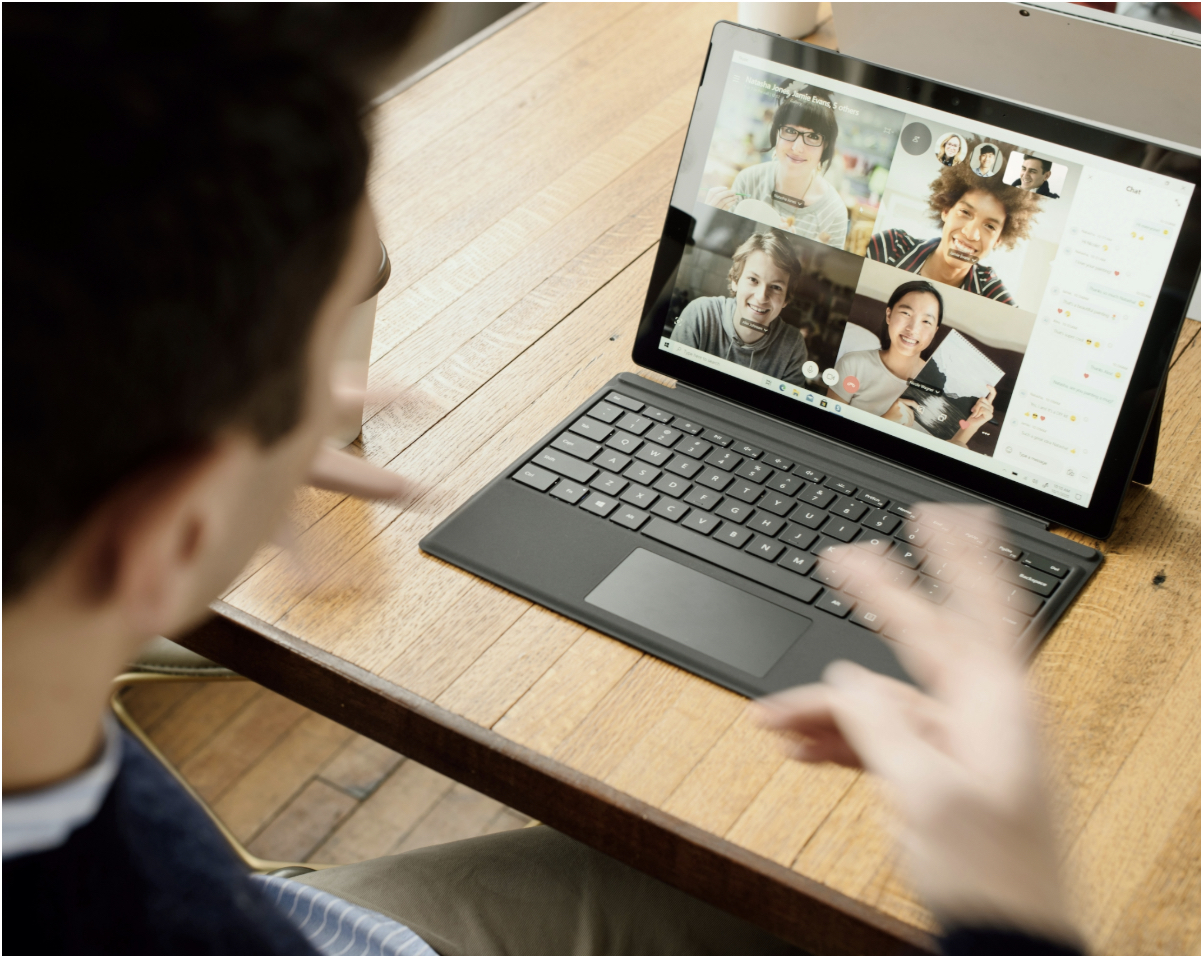
Zoom can handle large group calls reliably without asking your team to figure out complex settings. Turning on Webinar mode keeps attendees muted so surprise background noise won’t interrupt leadership updates, and breakout rooms let departments chat right after. The cloud recording generates almost as soon as you hang up, so sharing the replay takes seconds.
If your company already uses Microsoft 365, Teams keeps your meeting workflow in one place without extra software costs. Its Town Hall feature broadcasts to large crowds, live captions help international employees follow along, and call recordings drop straight into SharePoint. That means nobody has to search for missing video download links after the call wraps.
Google Meet keeps things simple because people join directly in their browser without downloading an app. The link attaches straight to your recurring Google Calendar invite, and finished session recordings save right to your Drive folder. It works great for teams that want a quick, single-click entry point.

Google Slides takes the friction out of building a single presentation deck with five different department leads. Everyone edits the same shared file during the week, saving you from hunting down email attachments right before going live. You can watch updates fill in real time and double-check slides up until call time.
PowerPoint gives you detailed control over visual layouts, custom animations, and presenter speaker notes. It runs smoothly offline, which saves the day if venue Wi-Fi becomes unreliable during a live presentation. You can also run interactive polling tools directly inside your slide layout rather than switching between screens.

You need concrete proof that your team retained key strategy updates instead of just nodding along. Kvistly lets you upload slides or meeting notes to create instant, automated knowledge-check quizzes. Live leaderboards keep energy high on the call, while participant analytics show executives exactly which updates stuck and which ones require a quick follow-up.
Slido prevents your main chat window from turning into a chaotic mess during open floor discussions. Team members post questions directly, toggle anonymity if preferred, and upvote top priorities so leadership answers what people care about most. It plugs directly into your existing video setup without adding technical friction.
This survey tool works best when you want live visual feedback from your team as they submit responses. Audience answers display on screen instantly as word clouds, rating scales, or bar charts during the call. That makes it a great fit for culture pulse checks, team mood reads, and casual icebreaker activities.
Poll Everywhere eliminates tab switching by placing interactive activities directly inside your presentation deck. You can add multiple choice items, open text fields, or clickable image polls right into PowerPoint, Keynote, or Google Slides. Results fill in live on your slide layout while employees answer from their phones or browsers.
You can record routine announcements beforehand so your live broadcast stays focused on active team discussion. Sharing a short video update lets colleagues in different time zones catch up whenever their day begins. This simple shift keeps live calls concise and leaves plenty of time for direct Q&A.
Otter creates clean meeting transcripts and text summaries right after your call wraps up. Team members who missed the live event can quickly skim the main takeaways in two minutes instead of sitting through a long recording. You also walk away with a clear written record of every decision leadership made during the call.

Running a clean call comes down to straightforward prep work and holding presenters to strict time limits. Unstructured slideshows drag down team energy fast, but a tight session gives your staff clear direction without taking over their whole afternoon.
Pick a set slot on the calendar, like the first Tuesday of every month at 10 AM. Booking it months ahead keeps attendance high and prevents people from scheduling client calls over it.
Drop your slide deck and topic list into a shared chat channel at least 24 hours before going live. Giving employees time to look over company updates beforehand means they bring better questions to the table.
Do a fast test of your audio, camera, and screen sharing five minutes before start time. Muted mics and broken presentation links drain energy right when the call begins.
Assign someone who isn't presenting to handle background logistics. Your moderator monitors chat comments, keeps speakers on time, and reads out submitted questions so presenters stay focused.
Avoid letting the leader speak uninterrupted for 60 minutes. Hand the mic over to team leads in sales, product, or customer support. Bringing in different voices keeps the pace moving and gives department heads well-deserved visibility.
Drop short polls, trivia questions, or chat prompts into the call every fifteen minutes. Giving people something quick to respond to stops them from minimizing the video window to scroll through Slack.
Reserve 10 to 15 minutes near the end for employee questions. Use a submission tool that allows anonymous posts so staff feel comfortable asking about hard topics like compensation changes, hiring freezes, or internal policies.
You rarely have time to address every question live on air. Gather whatever you missed, have leadership write out straightforward answers after the call, and post them in a public Slack channel within two days.
Wrap up the meeting by pointing out two or three clear priorities for the coming weeks. End right on the dot so everyone can get back to their normal workload.
Add a brief two-question survey link to your recap email. Asking your team what worked and what dragged helps you polish your setup before you host your next all hands meeting.
Upload the full recording and slide deck an hour or two after wrapping up. Teammates out on leave or working across different time zones rely on those uploads to stay in the loop.
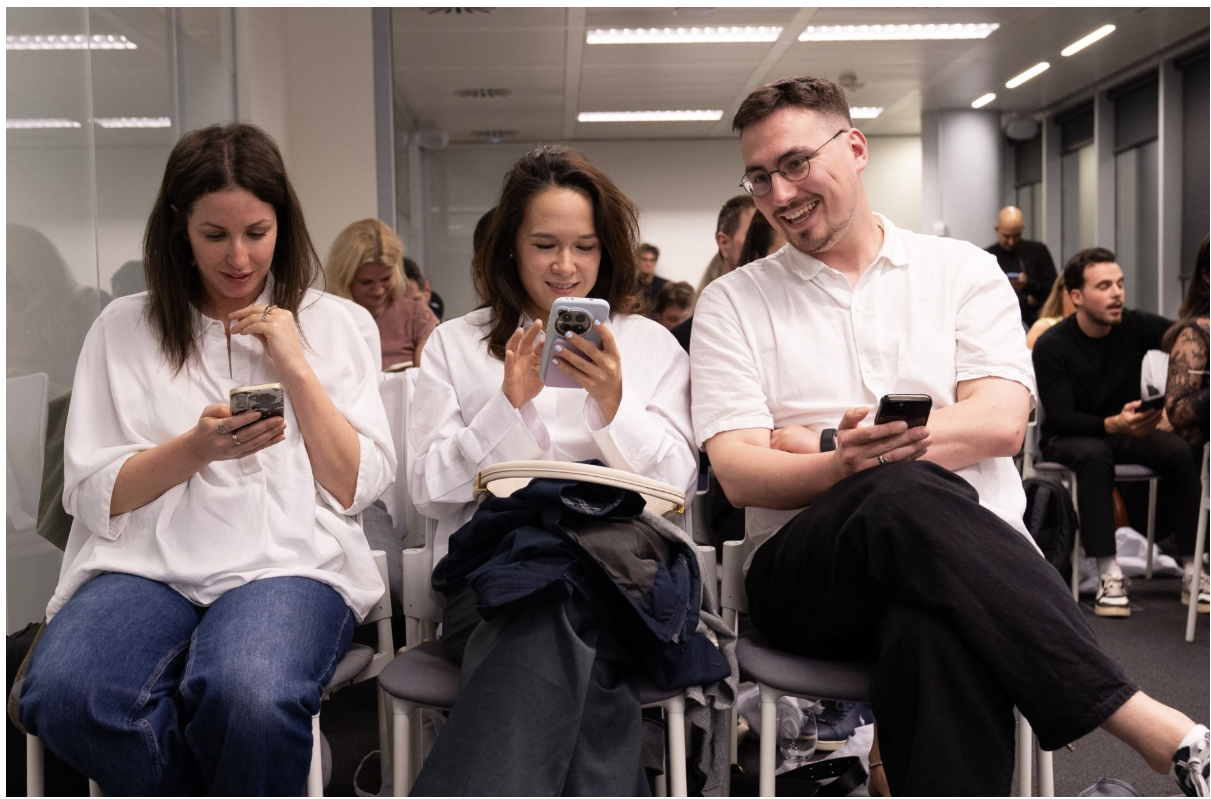
The biggest threat to a good company meeting is passive listening. When employees sit quietly through forty minutes of uninterrupted talking, mind wandering happens fast. Injecting quick, active touchpoints breaks up long presentations and forces people to pay attention.
Run quick single-question polls right after sharing major operational changes. Asking staff how they feel about a new policy or launch timeline gives executives immediate temperature checks across departments without holding up the call.
Upvote-based Q&A tools let employees submit questions throughout the meeting and vote on what matters most. Leaders address top-rated topics first, making sure call time goes toward fixing real worker confusion rather than guessing what people care about.
Start the first three minutes with a low-stakes prompt in the main video chat. Ask everyone to drop their favorite workplace coffee order or a weekend highlight. Getting people typing immediately sets an active tone for the rest of the meeting.
Ask employees to submit one word describing current company focus or team momentum. Seeing hundreds of submissions pop up live on screen highlights shared sentiment and gives leadership clear feedback on company culture.
Let staff submit anonymous praise for colleagues who helped them behind the scenes during the month. Reading a few of these public thank-yous out loud during executive updates builds team morale and highlights hard work that usually goes unnoticed.
Standard poll and Q&A tools handle open discussion, but running a quick live quiz measures actual information retention. Turning quarterly metrics into friendly trivia or running a fast knowledge check right after a strategy update proves if your messaging actually landed.
Using apps like Kvistly lets you upload your meeting deck or notes to generate an interactive quiz in seconds. A live leaderboard keeps energy high during the call or the meeting, while per-participant analytics give leaders exact visibility into which strategic updates stuck and which topics need clearer follow-up.
Even with good intentions, full-company calls often derail because of simple operational missteps. Steering clear of these frequent errors keeps your meetings lively, respectful of time, and useful.
Company leaders host an all hands meeting for the purpose of looping everyone in on sales targets, explaining major decisions, and taking questions right from the floor. Having the whole team together helps hybrid and remote employees stay tied to core business priorities.
Monthly calls work best for most growing businesses, keeping staff updated without destroying their weekly schedules. If you manage a larger company, quarterly sessions timed right after earnings reports often fit better.
All-hands calls center on company updates, internal metrics, and team wins. Town halls focus much more on open debate and long Q&A blocks, occasionally opening up to outside guests.
Everyone on the payroll joins, from executive founders down to part-time team members and brand-new interns. Bringing all departments into one room stops crucial info from getting trapped inside isolated teams.
Stick to an hour top. Running past sixty minutes causes people to tune out and start clearing backlogged emails instead of listening.
Walk through key revenue numbers, main goals for next quarter, team shout-outs, and a fast project demo. Always hold the final ten or fifteen minutes for worker questions.
Pass the mic to different department heads during slides instead of letting one manager talk uninterrupted for an hour. Running instant chat polls or anonymous question boards also gets people participating right away.

At their core, company-wide meetings exist to bring every department onto the same page, share clear direction, and answer real staff questions. The real challenge comes down to active participation.
Sitting through an hour of continuous talking causes focus to drift, but adding quick interactive touchpoints keeps your team tuned in throughout the presentation.
If you want an easy way to check if your message actually hit home, try Kvistly for your next session.
Balancing clear financial updates with simple, two-way interaction turns a routine calendar obligation into a productive call your workforce actually values.