15 Best Happy Hour Games for Work That Actually Get Everyone Talking (2026)
Elena Zangeeva
CEO @Kvistly
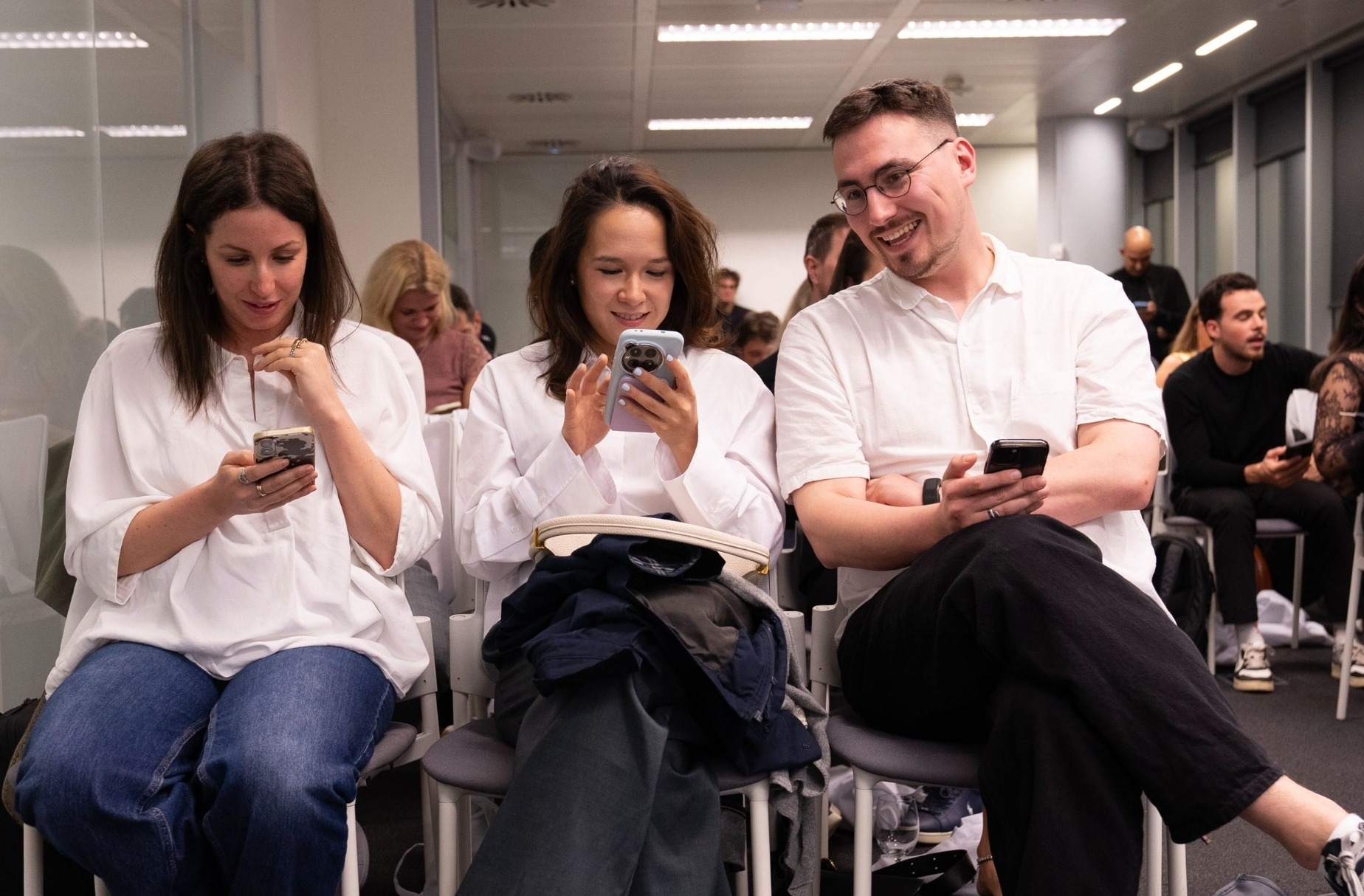
Finding great happy hour games for your team is usually driven by a specific type of dread. You know that exact moment at a post-work hangout when everyone finishes their first drink, the default "how was your week" small talk completely runs dry, and a heavy silence drops over the table.
Hosting a virtual happy hour brings a different flavor of awkward, where people just stare at a grid of faces, accidentally mute-battle each other, and silently count down the minutes until they can log off.
An open bar tab or a calendar invite never guarantees actual team bonding. When an event lacks a central focus, people instantly split into their usual work cliques or tune out entirely.
Giving people an actual activity to anchor the conversation solves this…
…which is why using quiz apps like Kvistly is the easiest way to run a zero-prep happy hour game, letting in-person teams join via a QR code on a bar TV or office screen and remote groups can connect via a shared Zoom link.
To save your next social gathering, here’s a breakdown of the best choices available, ranging from quick trivia apps to casual icebreakers, that actually deliver for both virtual team building and in-person office get-togethers.
What Makes a Happy Hour Game Actually Work for Teams?
Getting drained people to chat after eight hours of laptop screens takes a bit of strategy. If you pick a clumsy activity, you end up forcing tired employees to do extra work, which kills the vibe completely.
To make your next gathering actually successful, stick to a few basic rules.
Make it optional and low-pressure: Nobody likes forced corporate fun. Joining in should feel like a casual invitation, meaning anyone who just wants to sit back, sip a drink, and listen feels completely welcome to do exactly that.
Keep the setup under five minutes: If you spend fifteen minutes explaining complex instructions, you lose the crowd before the first round even starts. The host needs to launch the activity instantly so the casual momentum stays high.
Include all personality types: Your activity needs to fit introverts, extroverts, fresh hires, and senior bosses equally. Avoid choices that require hyper-specific niche knowledge or force quieter people into uncomfortable public performances.
Let the laughs happen naturally: The best social get-togethers leave the team with funny inside jokes they will keep bringing up at the office for weeks. You cannot force that kind of comedy, but you can choose simple structures that let natural wit show up on its own.
Make sure it scales easily: The game should work perfectly whether five people show up or fifty turn up at the venue. This is where quiz apps like Kvistly come in handy, because the built-in AI builds custom trivia in under five minutes, allowing local groups to scan a QR code on a bar TV while remote folks click a Zoom link to join the exact same match.
Ensure it fits both local and remote setups: Great options bridge the gap when half the company hangs out at a local pub and the rest log in from home. The format needs to stay identical across locations so you do not end up hosting two completely separate events.
15 Best Happy Hour Games for Work in 2026
AI-Powered Quiz Games
Kvistly Happy Hour Quiz
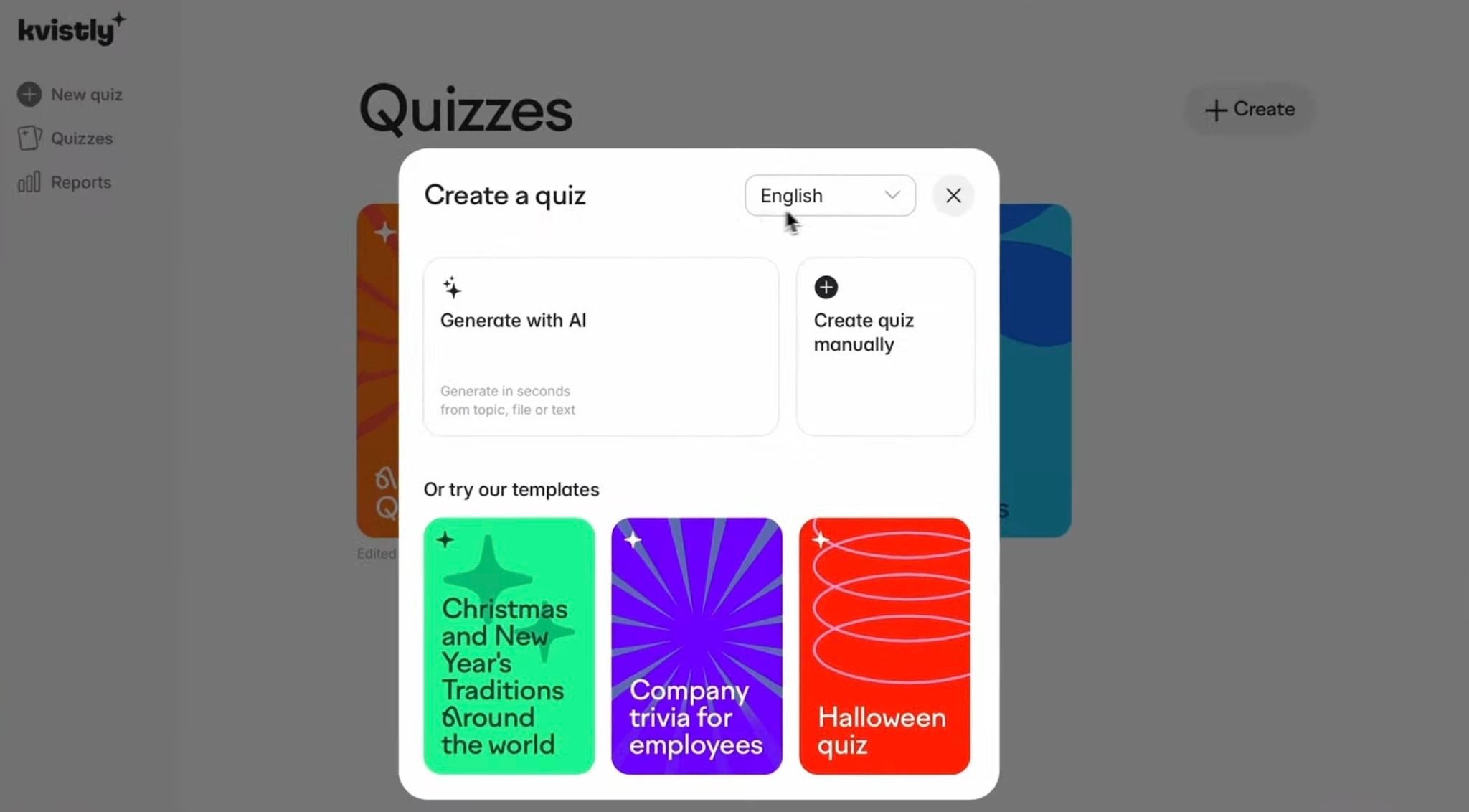
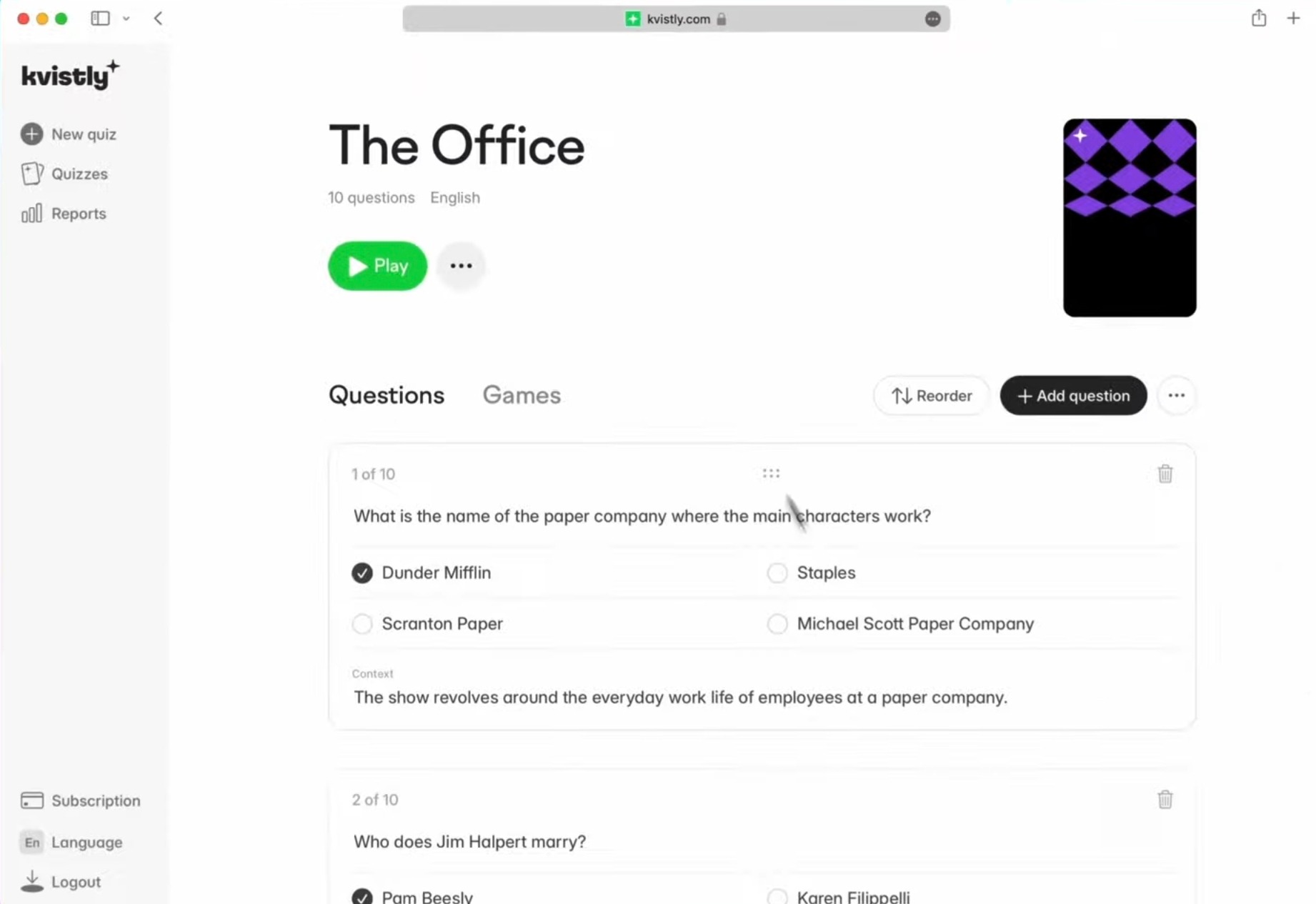
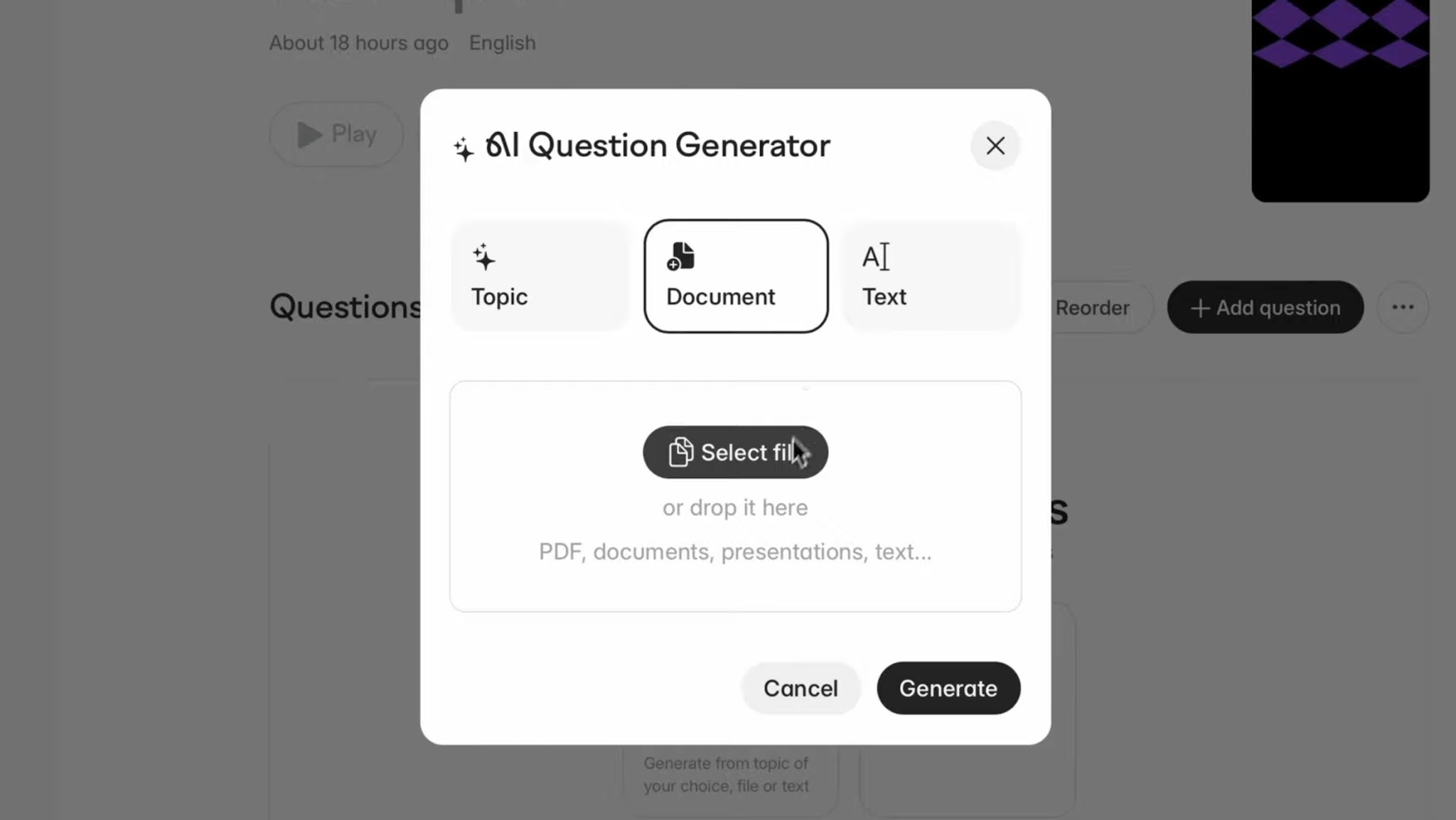
Instead of making a teammate spend hours hunting down trivia facts, you can use an app like Kvistly to handle the preparation. The host types in a topic, uploads an office document, or describes a theme, and the AI automatically builds a custom quiz in under 5 minutes.
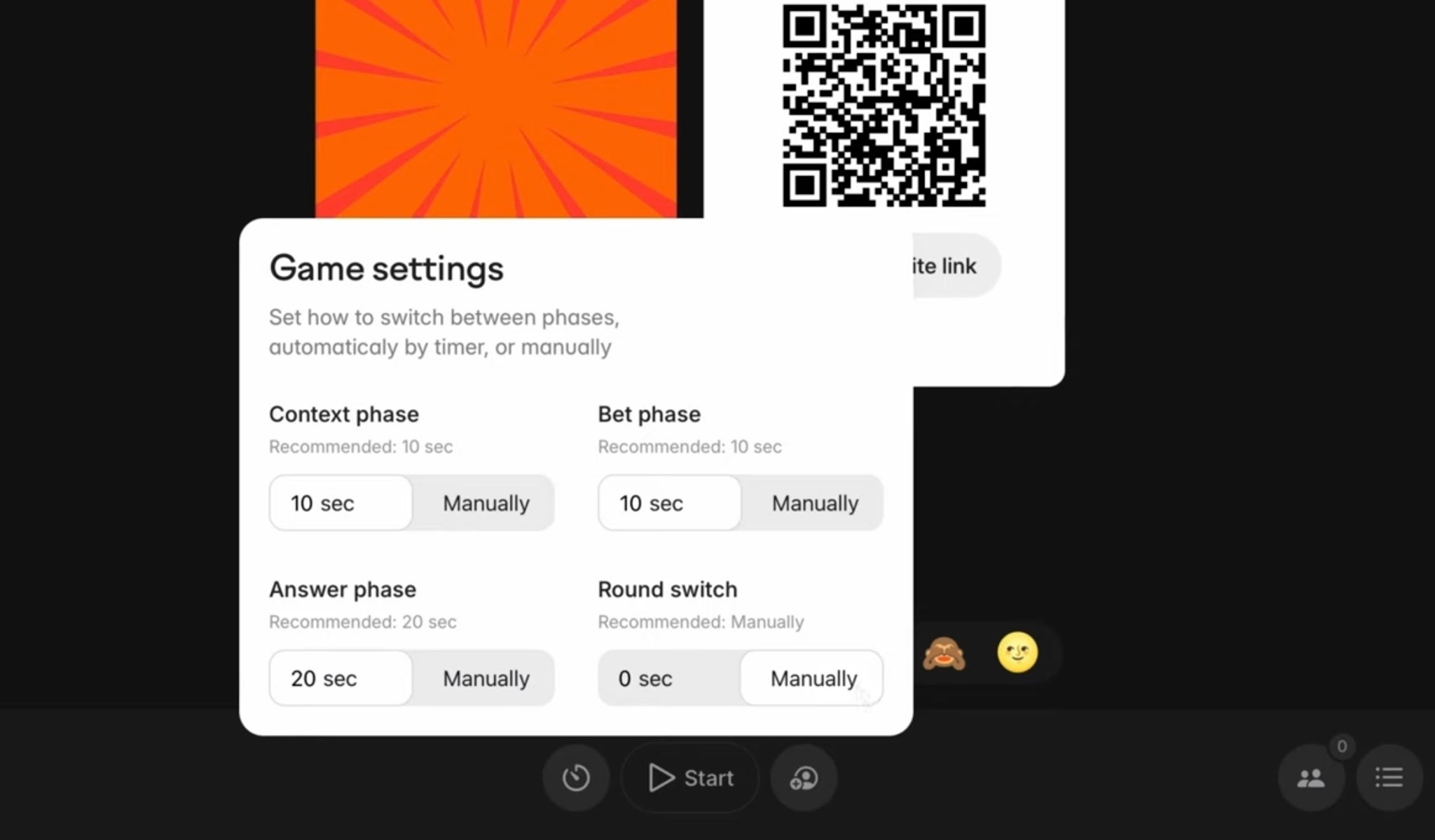
The game features a distinct risk-bidding system where players bet points based on how confident they feel about an answer.
This keeps the score tight and prevents the office trivia buff from dominating, giving everyone a fair shot at the live leaderboard. Because it takes almost zero prep time, it works well as a recurring social ritual.
Instant AI Generation: Type in a theme, upload a workspace document, or describe a topic to get custom questions built in under 5 minutes.
Confidence Wagers: Players bet points based on how sure they feel, leveling the score and letting anyone win regardless of their general knowledge.
Live Scorecard: The board updates immediately after every single question, maintaining high competitive energy across the room.
Pub & Office Play: Pull up the unique QR code on a local bar TV, workspace display, or projected wall for everyone to scan.
Remote Connections: Drop the room link directly into your Zoom or Microsoft Teams chat box for distant coworkers.
No App Downloads: Everyone joins instantly through their standard phone browser without installing software or creating new accounts.
Quick Schedule: Takes less than 5 minutes for the host to set up, while a standard trivia run lasts between 15 and 20 minutes.
Best For: Anywhere from 5 to 10,000 players, fitting hybrid, local, or remote settings for recurring monthly socials or quick team mixers.
Custom Trivia on Kvistly
Focusing on internal office jokes, company milestones, and random facts about your coworkers makes for a highly personalized social.
Instead of using generic pop culture facts, you build the whole game around shared workplace history. This approach serves well for welcoming new hires, letting them pick up on office culture through playing rather than reading a dry employee handbook.
Sourcing the trivia: Grab a bunch of funny stories and random personal details from your crew by putting out a quick Slack poll or a Google Form a few days before your event. Then, paste those notes straight into Kvistly to get your custom game ready to go.
Running it in the office: Pull up the main game screen on a regular workplace TV or a projector at your local bar so everyone in the room can see the score updates happen in real time.
Running it for remote teams: Open up a standard video call on Zoom or Teams and share your desktop screen to show the live standings, which lets long-distance coworkers send in their choices using their own phones.
Time needed: Roughly 20 to 30 minutes from start to finish.
Perfect for: Established departments, corporate onboarding sessions, or quarterly all-hands happy hours.
Industry Knowledge Trivia
Industry knowledge trivia focuses on your specific business sector, competitor moves, and recent market shifts. You get a setup that balances a casual social vibe with actual professional value. Company leaders or event hosts can pass along specific talking points ahead of time to weave direct workspace relevance into the game.
Setting up your questions: You type your specific field and a few recent news developments straight into Kvistly, and the app will build out a complete, relevant quiz based on those brief points.
Ideal audiences: This setup works exceptionally well for sales kickoffs, client-facing groups, and technical fields where tracking market updates is already a daily requirement.
Time allocation: Plan on spending anywhere from 15 to 25 minutes running through these professional trivia rounds.
Classic Happy Hour Icebreakers
Two Truths and a Lie
This is quite a traditional setup where each player lists three personal statements, hiding one total falsehood among two genuine facts. Everyone else talks it out and tries to spot the fake claim.
To make it much funnier, gather the statements before you start and show them anonymously. That way, the room has to guess who actually wrote the lines before they even figure out the lie.
Virtual setup: Throw the options into a quick on-screen poll so everyone votes at the exact same time. This keeps people from talking over each other on the call.
On-site setup: Run this right at your office tables with a simple show of hands or a quick mobile voting link.
Perfect audiences: This works best for brand-new teams, cross-department mixers, or any group where folks are still learning names.
Time allocation: Budget about 10 to 20 minutes for this game, depending on how many people show up.
Never Have I Ever (Work Edition)
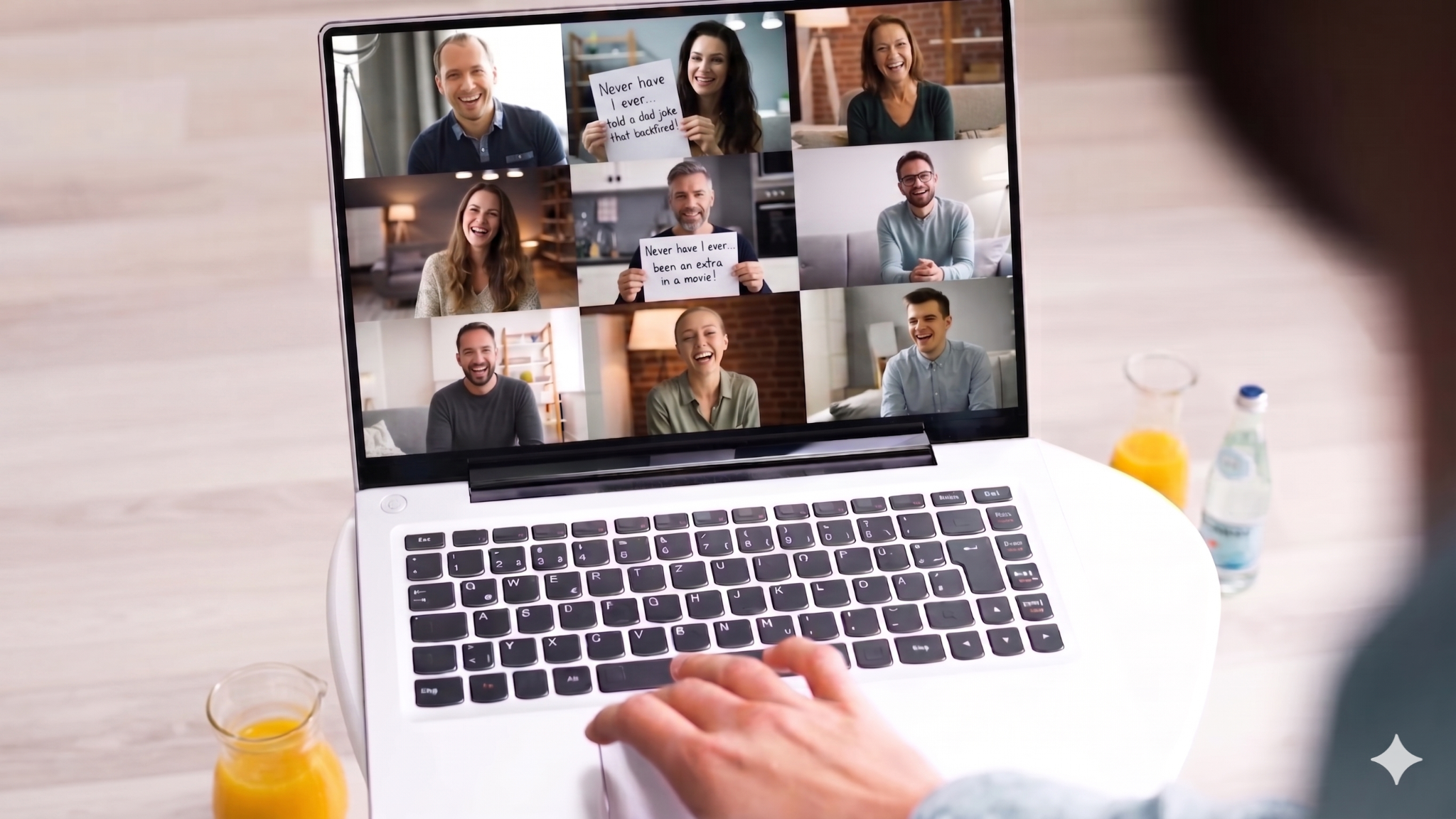
Now, this is a workplace-friendly spin on a familiar social game. You use common office blunders (but work-safe) for your main lines, like hitting reply-all by mistake, blanking on a coworker's name during an introduction, or nodding off with your camera on during a presentation.
Everyone takes a small sip of their drink if they are guilty of the action. This routine gets people laughing quickly and takes the pressure off normal corporate slip-ups.
How it works on video calls: The host reads the statements from a master list, and people drop their confessions into the main chat box or raise their virtual hands on screen.
How it works in the office: Your host can read the phrases from printed cards or a central screen, while the crowd responds with a quick show of hands or a drink.
Who likes this most: This option serves teams with a long list of shared office experiences who need a completely stress-free social starter.
Duration: Around 10 to 15 minutes.
Would You Rather (Corporate Edition)
This one uses work-themed dilemmas to spark friendly arguments. You put tough choices on display, like picking between giving a presentation to five hundred people or writing the entire annual report completely by yourself.
Another good one forces a choice between working from home forever or never sitting through another meeting again. Coworkers vote on their preferred option and then try to defend their choices to the rest of the room, which reveals a lot about their different working styles and personalities.
How it works: It plays out equally well whether everyone is sitting in the same conference room or joining from different states.
Can be a warm-up: You can set this up as a low-stakes warm-up poll round right before your Kvistly primary trivia game kicks off. It keeps things simple because the crowd uses the exact same QR code they need for the main event anyway.
Ideal audiences: This choice works perfectly for any department, regardless of the overall team size or the structural format of your meeting.
Duration: About 10 to 15 minutes.
Emoji Check-In
This game aims to lets everyone share their exact current mood using just a handful of symbols in the chat or on a live poll. The host reads the selected symbols out loud, and the rest of the team tries to guess exactly who sent them in.
How it works: This method functions exactly the same way whether you are sitting together in person or working online. For remote setups, you just have everyone drop their characters straight into the Zoom chat box. For on-site gatherings, you can display the mobile poll submissions directly on a central projector screen.
Ideal audiences: This choice works best for reserved teams, post-deadline gatherings where the staff might feel a bit wiped out, or a quick Monday morning warm-up before a big meeting.
Duration: Keep this one moving quickly, budgeting roughly 5 to 8 minutes from start to finish.
I'll Drink to That
This game is a passive background activity where you select a common office phrase that’s almost guaranteed to pop up naturally during your conversation.
You choose lines like "can you hear me," "per my last email," "so anyway," "good point," or "circle back." Every single time a coworker accidentally utters the chosen phrase, everyone else yells it out and takes a quick drink.
How it works: For an on-site gathering, you just announce the secret phrase right when the social starts and let it run wild. If you’re hosting a virtual call, you can pin the selected words to the top of the Zoom chat box so people have a constant visual reminder throughout the night.
Ideal audiences: This choice works for any department size or meeting structure, serving as an excellent running joke that gets progressively funnier as the event goes on.
Duration: This game runs completely on autopilot across your entire happy hour schedule, so you do not need to budget any specific time slots for it.
Competitive Team Games (4 games)
Happy Hour Bingo
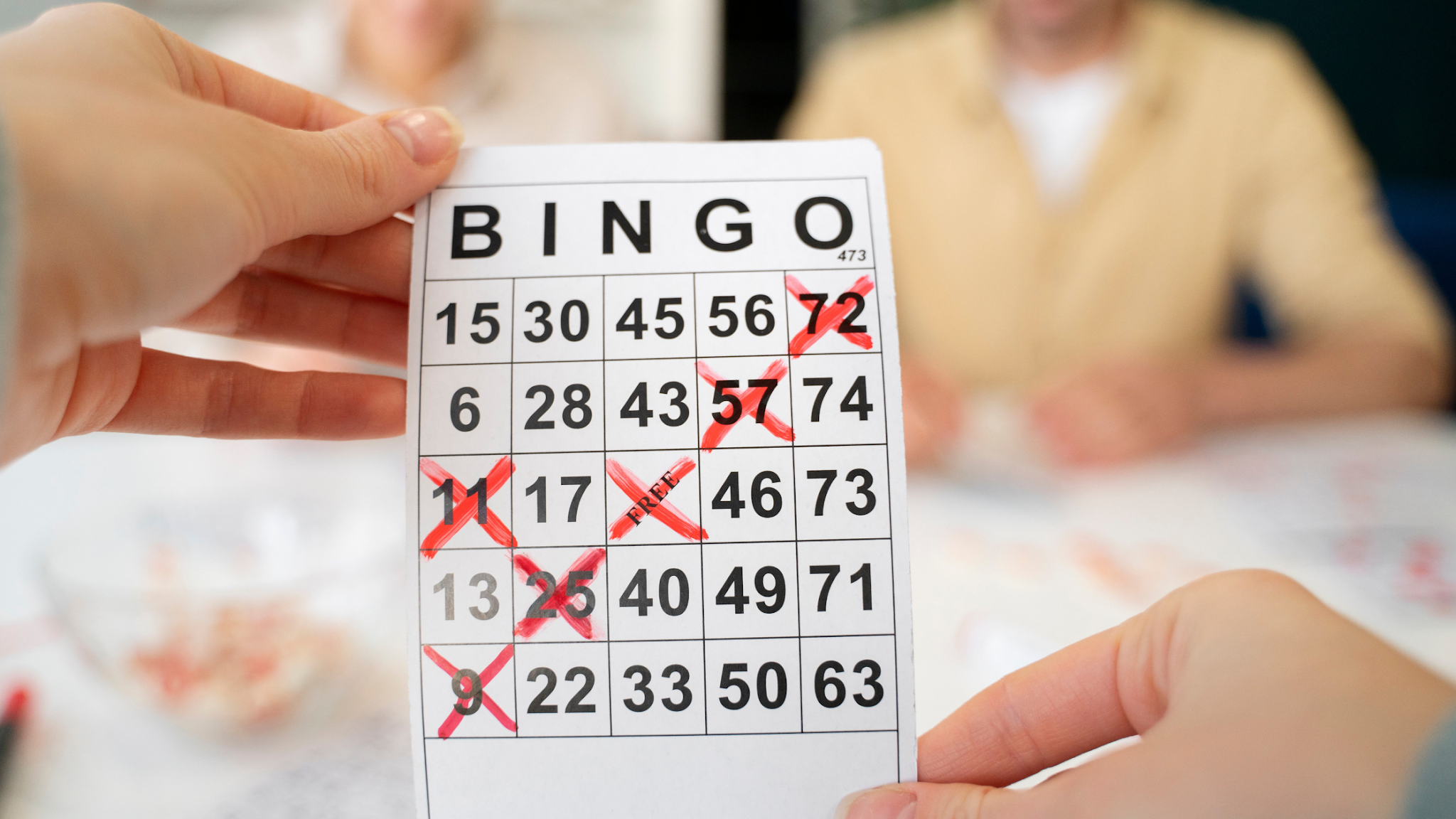
You build customized bingo cards filled with classic corporate tropes and predictable social scenarios, like a dog barking in the background, a colleague complaining about their daily commute, someone typing out "per my last email," or the event coordinator trying to speak while completely muted.
Attendees keep a close eye on their individual tracking cards and check off the designated squares as these specific moments happen completely naturally over the course of your gathering.
The first player to complete a full row shouts out the winning word and takes home a small reward, like a digital gift card, a bonus afternoon off, or some branded corporate clothing.
Handling the logistics: For online calls, you send out unique digital tracking links to everyone right before the event kicks off. For on-site gatherings, you print out a physical card for every chair or table space in the room.
Ideal audiences: This choice works best for crowds between 10 and 50 people across any structural format, especially when you want a passive game running quietly in the background without interrupting the actual flow of conversation.
Duration: This setup remains active across your entire event schedule, usually lasting anywhere from 60 to 90 minutes total.
Name That Tune
You play 10 to 15-second audio snippets, and the first person to type the correct song title scores a point. Running themed lists like 90s pop, movie scores, or hits from the year your company started keeps things fast and energetic.
How you host it: For online setups, broadcast your system audio while players race to type answers in chat. For on-site gatherings, play clips from a loudspeaker and let the room shout out titles or use a group message thread.
Ideal audiences: This fits 10 to 100 people across all setups, working perfectly for groups wanting an active, high-tempo game.
Time allocation: You can wrap up a full round within 15 to 20 minutes.
Zoom Scavenger Hunt Sprint
You call out a basic item, and everyone races to find it first. The fastest person to show it on their webcam or drop it on the conference table takes the point. It forces people to stand up and run around, which shakes up the standard sitting routine and brings some fast energy to the room.
How you run it: At home, your crew can look through their kitchens, closets, or backpacks. In the office building, people can check their desks, work bags, or the kitchen cabinets.
Ideal audiences: This setup fits groups of 10 to 100 people, and it handles video calls or physical rooms easily.
Time allocation: Stick to a small handful of items so you finish everything in 10 to 15 minutes.
Kvistly Live Leaderboard Quiz
This dedicated trivia game through Kvistly centers entirely around a live standings board. You display this score tracker on the central screen, and it updates automatically after every single question concludes.
This setup keeps the energy high because players can watch their names climb or drop in real time. The built-in risk-bidding mechanic allows participants to bet point amounts based on how confident they feel about a topic.
A player sitting further down the board can wager their entire point balance on a tough question, get it right, and instantly pass the current leader. To get everyone focused right from the start, announce a real prize for the top spot before you read the first question.
Setting up the display: For a traditional gathering in a bar or office space, you put the sign-in QR code directly on the main television or projector. If your team is joining online, you drop the invitation link right into the Zoom chat box and share the host screen to show the scores.
Ideal audiences: This choice works exceptionally well for highly competitive groups and large gatherings ranging from 20 to well over 100 people. It gives you a great way to close out an evening since it ends with a single undisputed winner.
Time allocation: You should budget between 20 and 30 minutes to run through a full quiz.
Themed Happy Hour Games (3 games - Murder Mystery replaced)
Decade Theme Quiz on Kvistly
You pick a specific era like the 80s, 90s, or 2000s and run a full trivia round focused on old music, movies, and pop culture. Kvistly’s built-in AI creator will generate these questions for you automatically.
You can tell everyone to wear clothes from that decade to add some extra fun to the event. This trip down memory lane gets coworkers laughing and talking instantly as they swap stories about childhood TV shows and old hit songs.
Setup details: At a bar or office room, throw the quiz up on a main TV or projector screen. For online teams, share your screen over Zoom and paste the game link straight into the chat box.
Ideal audiences: This works for any team, holiday parties, end-of-year gatherings, or a regular monthly game night.
Time allocation: Budget about 20 to 30 minutes to complete the quiz from start to finish.
Company Culture Trivia
This trivia setup focuses on your organization, using questions about company history, founding stories, team milestones, client wins, traditions, and inside jokes. It can strengthen team identity through entertainment, and people are usually surprised by how little they know about the company's early days. You can gather question ideas from executives, long-tenured workers, or clients ahead of time.
Running the final list through Kvistly gives you a live scoreboard and instant reactions. Kvistly's AI can also scan your website, About page, or uploaded documents to generate the questions automatically.
Setup details: This works the exact same way for both formats. Project the quiz onto a wall for an in-person party or share your screen on a video call for remote employees.
Ideal audiences: This works for quarterly all-hands gatherings, new hire onboarding, or company anniversary celebrations.
Time allocation: Plan to spend about 20 to 30 minutes running through the questions.
Happy Hour Games by Group Size
Small Teams (5–15 People)
Small departments have a big advantage because everyone can easily talk and connect without anyone getting left out. For a headcount like this, games that reveal personalities and personal backgrounds work much better than intense, cutthroat trivia.
You want choices that get people talking naturally.
Casual options like Two Truths and a Lie go over great here, along with a Get to Know Your Colleague Quiz built on Kvistly. You can also try conversational Would You Rather debates, a quick Emoji Check-In, or a Custom Team Trivia round centered on workplace inside jokes.
Virtual format tip: If you’re hosting online, skip the breakout sessions and keep everyone together in the main video room. Having a small group gives you great intimacy, so do not break it up by splitting people into separate calls.
In-person format tip: When sitting around a table or hanging out at a local pub, you do not need a huge projector screen. Your team can just use a single tablet or pass a phone around to join the Kvistly games.
Recommended session length: Keep the whole event running for about 45 to 60 minutes total.
Mid-Size Teams (15–50 People)
Groups in this middle range get the biggest boost from competitive games with live rankings. You have enough players to make the scoreboard change constantly, but the crowd stays small enough that everyone knows their competitors.
Good picks for this size are a Kvistly Happy Hour Quiz, Name That Tune, Happy Hour Bingo, a Kvistly Live Leaderboard Quiz, or a Decade Theme Quiz. These activities give the room a clear focus and keep things moving.
Virtual format tip:On video calls, open up separate breakout rooms so people can chat casually before and after the game. When you start the actual Kvistly quiz, bring everyone back together so they can watch the live scoreboard updates.
In-person format tip: Put the Kvistly sign-in QR code and the live standings on a bar TV or a projector screen. This lets your team log in and tap answers on their phones while tracking the scores up front.
Recommended session length: Plan to run these mid-sized gatherings for about 60 to 75 minutes.
Large Groups (50–500+ People)
Big crowds need a system that handles hundreds of players without lagging or crashing. Kvistly can support up to 10,000 players on a single QR code, so you don’t have to worry about extra setup or breakout room logistics during the trivia.
Your best options here are a Kvistly Happy Hour Quiz, Company Culture Trivia, or Industry Knowledge Trivia. You can also run Happy Hour Bingo quietly in the background throughout the night.
Virtual format tip: Run the main game in the primary video room. For casual chatting between rounds, open up optional breakout rooms that people can join and leave as they please.
In-person format tip: Flash the login QR code on multiple screens across your venue so nobody misses the entry link from the back of the room.
Recommended session length: Keep the game itself to 45 or 60 minutes, and leave open social time before and after.
In-Person vs. Virtual Happy Hour: How to Run Kvistly for Both
Planning a social event requires choosing a setup that fits your team's current work environment. Kvistly adapts to physical gathering spaces and remote video rooms with minimal changes to your planning process.
In-Person Happy Hours with Kvistly
Screen setup: You pull up the login QR code on a bar television, office projector, or any large display inside your venue.
Easy entry: Attendees pull out their smartphones to scan the code, letting them jump right into the lobby without downloading any new mobile apps.
Pub trivia vibe: The live scoreboard up on the big screen matches the competitive energy of a traditional pub trivia night.
Automated hosting: This setup eliminates the need for an announcer to yell out the text, since the questions show up clearly for everyone to read.
Social anchoring: You can run the rounds while people eat and drink, letting the trivia give coworkers a fun topic to chat about between questions.
Best display setup: Keep the live leaderboard on the primary room screen where everyone can track their position, while the main organizer controls the game progress from a personal phone or laptop.
Virtual Happy Hours with Kvistly
Sharing the lobby link: You drop the direct entry link straight into your Zoom or Microsoft Teams chat box as soon as the video call starts.
Screen sharing setup: The coordinator broadcasts their desktop window to display the scoreboard throughout the entire meeting. This lets your remote workers watch their names move up and down in real time from any laptop or phone.
Perfect timing: You want to launch the first trivia question within the opening 5 minutes of the call. This will give people an immediate focus and prevent awkward silences before the conversation can drag.
Handling larger groups: If your digital headcount goes past 15 attendees, split the staff into small breakout rooms for casual chat sessions between your quiz rounds.
Hybrid Happy Hours with Kvistly
Connecting both rooms: Your physical office crowd logs in by scanning the QR code off the shared projector wall, while your remote staff members use the login link posted inside the calendar invite or video call text feed.
A single leaderboard: Every participant feeds into the exact same active scoring matrix. This prevents a divided setup where remote teams feel isolated from the physical room.
The spectator layout: The system offers a specialized display function for the main physical monitor. It actively streams the current point shifts and name changes without leaking the correct multiple-choice answers to anyone still typing on their smartphones.
How to Host a Virtual Happy Hour That Doesn't Feel Like Another Meeting
Send calendar invitations early: You should dispatch the calendar event at least 7 days prior to the gathering. Treat this like a formal occasion rather than sending a sudden Slack ping right before you want to start. Remember to state the specific trivia activity in the description so your employees know exactly what they will be playing.
Cap the total duration: Keep the entire call under 90 minutes. Screen exhaustion hits remote workers quickly, so running a tight 60-minute schedule beats two full hours of aimless, drifting conversation.
Launch activities immediately: Start your first game within the opening five minutes of the scheduled time block. Skipping the initial unguided small talk keeps the energy from dipping, so you want to open with a Kvistly round or a fast icebreaker right away.
Utilize separate breakout channels: When your attendance roster grows past 15 individuals, break the crowd into smaller rooms containing four to six people. Huge video calls tend to stifle natural conversation, but these tiny groups allow for genuine chatting before you pull everyone back together for the final standings reveal.
Designate a neutral master of ceremonies: Select a dedicated emcee who is not the direct team manager or boss. Having a facilitator who lacks structural authority over the attendees keeps the tone light and ensures smooth transitions between quiz questions.
Provide a refreshment stipend: Send out a $10 to $15 DoorDash or Uber Eats allowance ahead of time. Giving your remote workforce a budget for drinks or snacks builds a shared experience and lets the staff know that management values their social time.
Finish with a definitive conclusion: End the video call on a high note by closing right after the Kvistly scoreboard announcements or a final team laugh. You want to avoid an awkward ending where participants slowly drop off the line one by one until the room is empty.
Conclusion
Throwing a social event that your team actually looks forward to doesn’t require a giant budget, an expensive venue, or open bar tabs.
The difference usually comes down to picking a single engaging activity that brings everyone together.
Structured games take away the awkward pressure of forced small talk. They give your coworkers a genuine, shared activity to experience at the same time.
This setup gives the room something to laugh about together in the moment, creating fun inside jokes that your team will still talk about when they log back into work the following Monday.
Elena Zangeeva
Founder @Kvistly, Elena brings over 14 years of HR expertise from her tenure at BCG & Bumble